=== console.log('header!'); // Easy to add and display post grid on your website with or without categoryies filter. Also work with Gutenberg shortcode block. === console.log('header!'); // Easy to add and display post grid on your website with or without categoryies filter. Also work with Gutenberg shortcode block. === console.log('header!'); // Easy to add and display post grid on your website with or without categoryies filter. Also work with Gutenberg shortcode block. === console.log('header!'); // Easy to add and display post grid on your website with or without categoryies filter. Also work with Gutenberg shortcode block.

SSC Selection Phase 14 Recruitment 2026

SSC Selection Phase 14 Recruitment 2026

Staff Selection Commission (SSC) has released the Notification on the official website for the Recruitment  Examination of Various Post at SSC Selection Phase-14 2026. This recruitment is for 3003 posts.  04 May 2026. The Minimum age required is 18 years, and the maximum age is 30 Years as on 01 January 2026. Candidates must check the complete details for the SSC Selection Phase 14 Recruitment 2026, which is given below. (Advt. No. Phase XIV/2026)

What SSC Selection Phase 14?

SSC Selection Phase 14 is a government recruitment exam conducted by the Staff Selection Commission to fill various posts in different ministries and departments across India. It is open to candidates with 10th, 12th, and graduate-level qualifications, and selection is done through a computer-based test (CBT) followed by document verification.

SSC Selection Phase 14 Online Form 2026 – Start

SSC Selection Phase 14 Examination 2026: Short Details

Important Dates

  • Online Apply Start Date : 13 April 2026
  • Online Apply Last Date : 04 May 2026
  • Last Date For Fee Payment : 05 May 2026
  • Correction Date : 11 – 13 May 2026
  • Exam Date : June 2026
  • Admit Card : Before Exam
  • Result Date : Will Be Updated Here Soon
  • Candidates are advised to confirm from the SSC official website.

Application Fee

  • For General/ OBC/ EWS : ₹ 100/-
  • For SC/ ST/ Female : ₹ 0/-
  • For PH Candidates : ₹ 0/-
  • Payment Mode (Online): You can make the payment using the following methods:
    • Debit Card
    • Credit Card
    • Internet Banking
    • IMPS
    • Cash Card / Mobile Wallet
SSC Selection Phase 14 Notification 2026 : Age Limits As On 01 January 2026
  • Minimum Age : 18 Years
  • Maximum Age : 30 Years 
  • SSC provides age relaxation for the Phase 14 position as per their regulations.
Total Post

3003 Posts

Overview of SSC Selection Phase 14 Recruitment 2026

SSC Selection Phase exams are conducted every year to fill various posts in different ministries, departments, and government offices across India. The Phase 14 recruitment is expected to bring thousands of vacancies under multiple categories.

Key Highlights:

  • Organization: Staff Selection Commission (SSC)
  • Exam Name: SSC Selection Phase 14
  • Year: 2026
  • Application Mode: Online
  • Job Location: All India
  • Category: Government Jobs

SSC Selection Phase 14 Recruitment 2026 : Vacancy Details

Post NameNo. Of PostEligibility Criteria
Various Selection Post Phase-13 (XIII)3003 PostsMatric Level : Candidates Must Have Passed Class 10th (High School) Exam from Recognized Board.Intermediate Level : Candidates Must Have Passed Class 12th (Intermediate) Exam from Recognized Board.Graduate Level : Candidates Having Bachelor Degree in any Stream from Recognized University in India.

 How To Fill SSC Selection Phase 14 Online Form 2026?

Follow these simple steps to apply for SSC Phase 14 Recruitment:

  1. Visit the official SSC website
  2. Complete One-Time Registration (OTR)
  3. Login using your credentials
  4. Fill out the application form carefully
  5. Upload required documents (photo & signature)
  6. Pay the application fee online
  7. Submit the form and take a printout
 SSC Selection Phase 14 Recruitment 2026 : Mode Of Selection 
CBT
Descriptive
Skill Test

Required Documents To Fill Online Exam Form

Keep these documents ready before applying:

  • Aadhaar Card
  • Educational Certificates
  • Passport Size Photo
  • Signature
  • Caste Certificate (if applicable)

 SSC Selection Phase 14 Recruitment 2026 : Important Question 

Q1 : When will the online application for SSC Selection Phase 14 Recruitment 2026 Start?

Answer: The online application for this recruitment has started on 13 April 2026.

Q2 : What is the last date for online application for SSC Selection Phase 14 Online Form 2026?

Answer: The last date for online application Form is 04 May 2026.

Q3 : What is the age limit for SSC Selection Phase 14 Bharti 2026?

Answer: The age limit for SSC Selection Phase 14 Bharti 2026 is as follow on official notification

Q4 : What is the eligibility for SSC Selection Phase 14 Vacancy 2026?

Answer: The eligibility criteria for the SSC Selection Phase 14 Vacancy 2026 are as follows on SSC rules.

Q5 : What is the official website for SSC?

Answer: The official website for SSC is https://ssc.gov.in/

Disclaimer: Information regarding any exam form , results/marks, answer key are published on this website are provided just for the immediate information of the examinees and should not be considered as a legal document. While every effort has been made by sarkariresult team to ensure the accuracy of the information provided which includes official links, we are not responsible for any inadvertent errors that may appear in the examination results/marks, answer key or time table/admission dates. Additionally, we disclaim any liability for any loss or damage caused by any shortcomings, defects, or inaccuracies in the information available on this website. In case of any correction is needed feel free to contact us through contact us page.
Agristack UP Farmer ID 2026 – Register Online, Status Check और Benefits Guide

agristack up farmer registery

Agristack UP Farmer ID उत्तर प्रदेश के किसानों के लिए एक महत्वपूर्ण डिजिटल पहचान (Digital Farmer Identity) है। सरकार का उद्देश्य है कि हर किसान का प्रमाणित डेटा एक ही प्लेटफॉर्म पर उपलब्ध हो, ताकि सरकारी योजनाओं का लाभ सीधे और पारदर्शी तरीके से मिल सके। अब किसान भाइयों को बार-बार कागज़ जमा करने की जरूरत नहीं पड़ेगी — “अब सब काम ऑनलाइन, सीधा और साफ”।

इस लेख में हम आपको बताएंगे Agristack UP Farmer ID क्या है, कैसे अप्लाई करें, स्टेटस कैसे चेक करें, और इसके क्या-क्या फायदे हैं।

Agristack UP क्या है?

Agristack UP उत्तर प्रदेश सरकार द्वारा शुरू किया गया एक डिजिटल प्लेटफॉर्म है, जिसका उद्देश्य राज्य के किसानों का एकीकृत डिजिटल डेटाबेस तैयार करना है। इसके तहत हर किसान को एक Unique Farmer ID दी जाती है, जिससे उसकी भूमि, फसल, बैंक खाता और सरकारी योजनाओं की जानकारी आपस में जुड़ जाती है।

Agristack UP

Farmer ID क्या है?

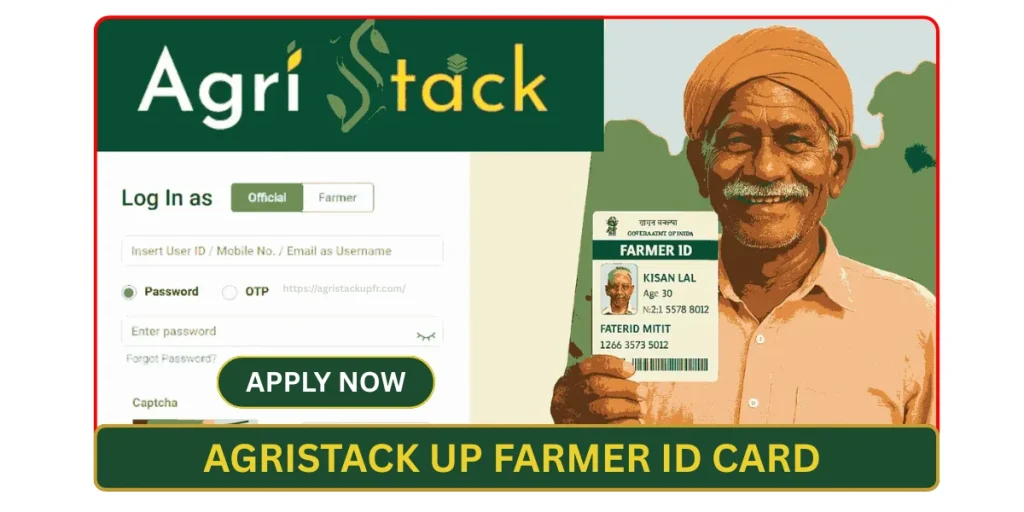
Farmer ID (किसान पहचान संख्या) एक यूनिक डिजिटल पहचान नंबर होता है, जो सरकार द्वारा किसानों को दिया जाता है। यह ID किसान की जमीन, फसल, बैंक खाते और सरकारी योजनाओं की जानकारी को आपस में जोड़ती है।

सरल शब्दों में — “जैसे आधार कार्ड इंसान की पहचान है, वैसे ही Farmer ID किसान की खेती की पहचान है।”

Agristack UP के मुख्य लाभ क्या हैं?

Agristack UP उत्तर प्रदेश के किसानों के लिए एक डिजिटल व्यवस्था है, जिससे सरकारी योजनाओं का लाभ आसान, पारदर्शी और सीधे तरीके से मिलता है। इसके प्रमुख लाभ नीचे दिए गए हैं:

Agristack UP Farmer ID 2026 के लिए Registration कैसे करें?

UP के किसान निम्नलिखित स्टेप्स से आवेदन कर सकते हैं:

1. आधिकारिक पोर्टल पर जाएं

UP Agristack या Farmer Registry Portal की आधिकारिक वेबसाइट पर जाएं।

2. Registration विकल्प चुनें

“New Farmer Registration” या “Farmer ID Apply” पर क्लिक करें।

3. Aadhar व Mobile No सत्यापन

आधार नंबर और OTP के माध्यम से वेरिफिकेशन करें।

4. Land Details भरें

खतौनी/गाटा संख्या की जानकारी दर्ज करें।

5. आवेदन Submit करें

सभी जानकारी चेक कर फॉर्म सबमिट करें।

आवेदन सफल होने के बाद आपको Farmer ID जारी की जाएगी।

जिन किसानों को ऑनलाइन प्रक्रिया में दिक्कत हो, वे अपने नजदीकी CSC (Common Service Center) पर जाकर भी आवेदन कर सकते हैं। “घबराय के कउन जरूरत नाहीं, गांव में ही सुविधा मिल जाई।”

Agristack Farmer ID Farmers के लिए क्यों जरूरी है?

उत्तर प्रदेश में लाखों किसान विभिन्न योजनाओं का लाभ लेते हैं। लेकिन पहले अलग-अलग विभागों में अलग-अलग पंजीकरण करना पड़ता था। Agristack Farmer ID से यह प्रक्रिया सरल और पारदर्शी बन गई है।

सरकार का लक्ष्य है कि 2026 तक सभी पात्र किसानों का डिजिटल रजिस्ट्रेशन पूरा हो जाए।

“जेतना जल्दी रजिस्ट्रेशन करइब, ओतना जल्दी फायदा मिलिहै।”

Agristack UP Farmer ID Enrollment Status Check कैसे करें?

यदि आपने आवेदन कर दिया है, तो स्टेटस चेक करने के लिए:

  1. आधिकारिक वेबसाइट खोलें
  2. “Check Status” विकल्प पर क्लिक करें
  3. आधार नंबर या रजिस्ट्रेशन नंबर दर्ज करें
  4. OTP सत्यापन करें
  5. स्क्रीन पर आपका आवेदन स्टेटस दिखाई देगा

अगर आवेदन लंबित है तो कुछ दिन प्रतीक्षा करें या CSC से संपर्क करें।

Official AgriStack UP Login Portal किसान कैसे Access कर सकते हैं ??

नीचे दिए गए स्टेप्स फॉलो करके किसान आसानी से AgriStack UP पोर्टल में लॉगिन कर सकते हैं:

  1. सबसे पहले AgriStack UP की आधिकारिक वेबसाइट खोलें
  2. होमपेज पर “Login” या “Farmer Login” विकल्प पर क्लिक करें
  3. अपना Aadhaar Number / Farmer ID / Registered Mobile Number दर्ज करें
  4. रजिस्टर्ड मोबाइल पर आए OTP को भरकर वेरिफिकेशन करें
  5. OTP सत्यापन के बाद डैशबोर्ड ओपन हो जाएगा
  6. डैशबोर्ड से आप अपनी प्रोफाइल, भूमि विवरण और योजना की स्थिति देख सकते हैं
  7. अगर पासवर्ड आधारित लॉगिन है, तो Password दर्ज करें (यदि पहले बनाया हो)
  8. लॉगिन में समस्या होने पर “Forgot Password” या नजदीकी CSC Center से संपर्क करें

Note -: हमेशा केवल सरकारी आधिकारिक पोर्टल -: https://upfr.agristack.gov.in/ पर ही लॉगिन करें और OTP किसी के साथ साझा न करें।

अगर Farmer ID डाउनलोड नहीं हो रही तो क्या करें?

  1. समस्या जारी रहने पर नजदीकी CSC Center से संपर्क करें
  2. इंटरनेट कनेक्शन चेक करें
  3. सही आधार/मोबाइल नंबर दर्ज करें
  4. OTP सही भरें

Sarkari Result Website के माध्यम से Farmer ID Download कैसे करें?

आजकल कई किसान भाई “Sarkari Result” जैसी वेबसाइट पर Farmer ID से जुड़ी जानकारी खोजते हैं। यहाँ यह समझना जरूरी है कि Sarkari Result वेबसाइट सीधे Farmer ID जारी नहीं करती, बल्कि यह आपको सही सरकारी पोर्टल की जानकारी और लिंक प्रदान करती है।

इसलिए पहले यूजर का इंटेंट समझ लें — अगर आप Farmer ID डाउनलोड करना चाहते हैं, तो आपको आधिकारिक Agristack / Farmer Registry पोर्टल पर ही जाना होगा।

Step 1: Sarkari Result Website पर सही जानकारी खोजें

  • सबसे पहले विश्वसनीय Sarkari Result वेबसाइट खोलें
  • सर्च बॉक्स में “Agristack UP Farmer ID Download” लिखें
  • संबंधित आर्टिकल या अपडेट लिंक पर क्लिक करें
  • दिए गए आधिकारिक पोर्टल लिंक को ध्यान से पढ़ें

याद रखें: Sarkari Result केवल जानकारी देता है, डाउनलोड सरकारी पोर्टल से ही होगा।

Step 2: Official Agristack UP Portal पर जाएं

  • आर्टिकल में दिए गए Official Website Link पर क्लिक करें
  • Agristack UP या Farmer Registry Portal खुलेगा
  • “Farmer Login” या “Farmer ID Download” विकल्प चुनें

Step 3: Login करके Farmer ID Download करें

  • अपना Aadhaar Number / Farmer ID / Mobile Number दर्ज करें
  • OTP से वेरिफिकेशन करें
  • डैशबोर्ड में “Download Farmer ID” या “Print ID” विकल्प पर क्लिक करें
  • Farmer ID PDF फाइल डाउनलोड करें
  • चाहें तो प्रिंट निकाल लें

किन बातों का ध्यान रखें?

  • केवल आधिकारिक सरकारी पोर्टल से ही Farmer ID डाउनलोड करें
  • OTP किसी के साथ शेयर न करें
  • अगर वेबसाइट खुलने में समस्या हो, तो CSC Center से संपर्क करें
निष्कर्ष -: Sarkari Result वेबसाइट किसान भाइयों को सही दिशा दिखाने का काम करती है, लेकिन Farmer ID डाउनलोड हमेशा सरकारी Agristack UP पोर्टल से ही होगा।

Important Tips for applicant farmers

  • आवेदन करते समय सही भूमि विवरण भरें
  • OTP किसी अंजान व्यक्ति को न दें
  • केवल सरकारी पोर्टल या CSC का उपयोग करें
  • Farmer ID मिलने के बाद उसे सुरक्षित रखें

Frequently Asked Questions (FAQs)

Q1. Farmer ID कहाँ से डाउनलोड करें?

Ans: Farmer ID केवल आधिकारिक Agristack UP / Farmer Registry Portal से डाउनलोड की जा सकती है। Sarkari Result जैसी वेबसाइट केवल जानकारी और लिंक प्रदान करती हैं।

Q2. Farmer ID डाउनलोड करने के लिए क्या जरूरी है?

Ans: आपके पास आधार नंबर (Aadhaar), रजिस्टर्ड मोबाइल नंबर, और कभी-कभी रजिस्ट्रेशन नंबर होना चाहिए। OTP वेरिफिकेशन के बाद ही डाउनलोड संभव है।

Q4. क्या Farmer ID PDF में डाउनलोड होती है?

Ans: हाँ, Farmer ID आमतौर पर PDF फॉर्मेट में डाउनलोड होती है, जिसे आप सेव या प्रिंट कर सकते हैं।

Q5. क्या Farmer ID डाउनलोड करने के लिए कोई शुल्क लगता है?

Ans: नहीं, आधिकारिक सरकारी पोर्टल से Farmer ID डाउनलोड करना पूरी तरह निःशुल्क (Free) है।

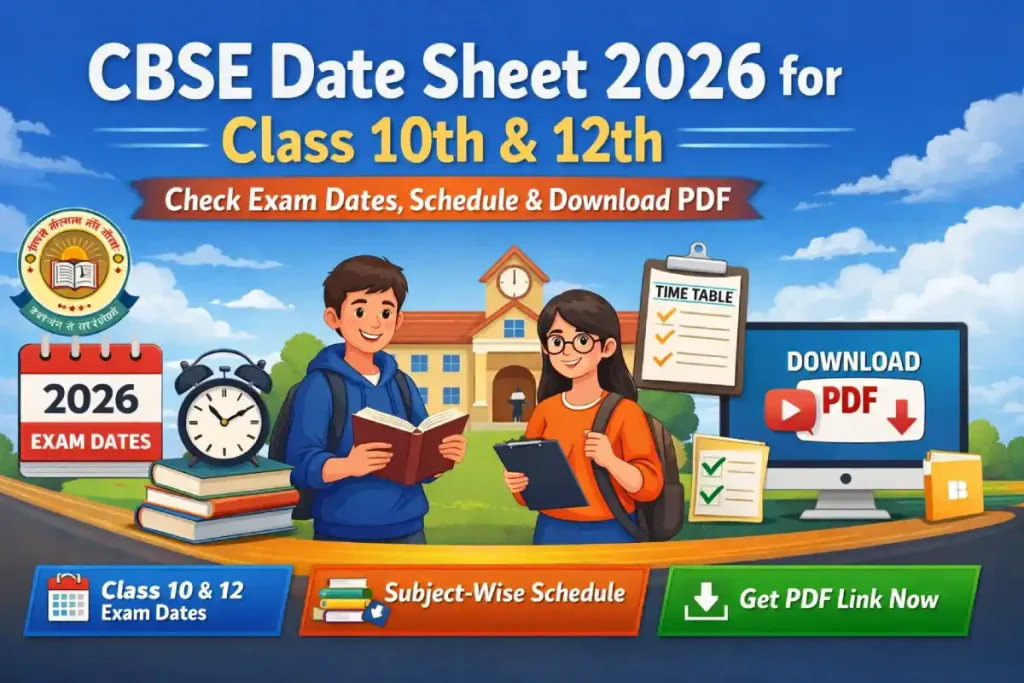
CBSE Date Sheet 2026 for Class 10th & 12th – Check Exam Dates, Schedule & Download PDF

CBSE Date Sheet 2026 for Class 10th & 12th – Check Exam Dates, Schedule & Download PDF

cbse.gov.in Central Board of Secondary Education (CBSE) CBSE Board Class 10th 12th Date Sheet 2026 Link, Exam Date, Hall Ticket Download, CBSE Board has released the CBSE High School and Intermediate Final Exam Schedule 2025 CBSE is going to Conduct the Written Examination for the CBSE Board Class 10th from 03 March 2026 to 11 March 2026, and CBSE Board Class 12th Examination from 03 March 2026 to 10 April 2026. The Authority will release the CBSE Board Class 10th and 12th Admit Card 2026 in February 2026 on its official website. Candidates who have successfully submitted their application forms and are preparing to appear for this CBSE Board Class 10th 12th Written Examination 2025-26 can download their CBSE Board Class 10th 12th Exam Schedule 2025 from the Official Website or through the direct link provided below.

What Are The Role of cbse Board in Class 10 Th or 12th Examination?

The CBSE Board plays a crucial role in conducting Class 10th and 12th examinations across India. It is responsible for designing the syllabus and curriculum as per national education standards, ensuring uniformity in education. CBSE sets the exam pattern, question paper format, and marking scheme to evaluate students fairly. The board also prepares and releases the date sheet, admit cards, and official guidelines for examinations. During exams, CBSE manages question paper distribution, examination centers, and invigilation to maintain transparency. After exams, it evaluates answer sheets, declares results, and handles rechecking and revaluation processes. Overall, CBSE ensures a standardized, reliable, and student-focused examination system for Class 10 and 12 students.

CBSE board

CBSE 10th and 12th Exam 2026: Important Dates

IMPORTANT DATESAPPLICATION FEE
Date Sheet Release Date: 24 September 2025Revised Exam
Date Sheet: 30 December 2025 Class 10th Exam
Start Date: 03 March 2026 to 11 March 2026
Class 12th Exam Start Date: 03 March 2026 to 10 April 2026
Admit Card: Before Exam
Result Date: Notify Later Candidates are advised to verify the details on the Official Website of CBSE.
Gen/ OBC/ EWS: ₹00/-SC/ ST/ Others: ₹00/-No Need to Pay the Examination Fee Through Credit Card, Debit Card, Net Banking/ Pay Offline Through E-Challan.
Expected Timeline 2026 (Tentative):IMPORTANT NOTES
Class 10 Exams: February – March 2026
Class 12 Exams: February – March 2026
Practical Exams: Usually conducted before the theory exams
For more complete information, please read the CBSE Class Xth XIIth Notification 2025.
Tip: Keep checking the official website regularly, as dates may be updated by CBSE.

IMPORTANT LINKS REGARDING CBSE 10 or 12th EXAM ASPIRANTS

IMPORTANT LINKS
Download Revised Exam Date SheetClick Here
Download 10th 12th Exam Date SheetClick Here
Official WebsiteClick Here
HomepageSarkari Result

How to CBSE Board 10th 12th Exam Date Sheet 2026 Download?

The Central Board of Secondary Education (CBSE) has released the cbse.gov.in CBSE Class Xth XIIth Revised Timetable 2025-26 on 30 December 2025 for the CBSE Secondary and Senior Secondary Written Examination 2026. Follow these steps to check for the CBSE Class Xth XIIth Exam Date Sheet 2025-26 Download Link.

  1. Visit the official website at @cbse.gov.in or use the direct link provided below.
  2. Locate the CBSE Class Xth XIIth Date Sheet 2025-26 Download Link and click on it.
  3. Once downloaded, your CBSE Class Xth XIIth Exam Schedule 2026 will be displayed on the Screen.
  4. Download, Save, or Print the Exam Date Sheet for Future reference.
CBSE board latset date sheet 2026

How to Check CBSE Board 10th & 12th Latest Syllabus On Offical Portal?

The CBSE syllabus is an essential document for proper exam preparation. Follow these steps to download it:

  1. Go to the CBSE official website: https://www.cbse.gov.in
  2. Navigate to “Academic Repository / Curriculum”.
  3. Select Class 10 or Class 12.
  4. Choose the subject-wise syllabus PDF.
  5. Download and save it for reference.

Why syllabus matters:

  • Helps you focus on important chapters.
  • Provides the exam pattern and marks distribution.
  • Ensures you don’t miss out on any topic.

CBSE Board Class 10th 12th Eligibility 2025-26 Details

Post NameCBSE 10th 12th Eligibility 2025-26
CBSE Class 109th Exam Passed.
CBSE Class 1211th Exam Passed.
For more complete information, kindly read the CBSE Class Xth XIIth Exam Notification 2025-26.

What Are The Latest CBSE 2026 Exam Pattern For 10 or 12th students?

Class 10:

  • Subjects: Mathematics, Science, Social Science, Languages, and optional subjects
  • Type of Questions: Objective + Subjective
  • Marks Distribution: 80 marks for theory, 20 marks for internal assessment

Class 12:

  • Subjects: Science (Physics, Chemistry, Biology), Commerce, Arts, Languages
  • Theory Marks: Usually 70–80%
  • Practical/Internal Marks: 20–30%

Note: The exact pattern may vary slightly by subject. Check the official CBSE notification for final details.

How to Check CBSE Board Results After Complete Exam?

CBSE results are published online. Here’s how to check them:

  1. Visit CBSE Results Portal
  2. Select Class 10 / Class 12 Result 2026.
  3. Enter your roll number, school code, and date of birth.
  4. Click Submit to view your result.
  5. Download and print a copy for future reference.

Tip: Keep your admit card handy, as it contains all necessary details for checking results.

CBSE Board Class Xth XIIth Passing Marks 2026

The Passing Marks for CBSE Class Xth and XIIth Examination 2025 will be completed in the following phases –

  • Minimum 33% Marks are required in Each Subject.
  • For Subjects Involving Practical, Must Secure 33% separately in Both Theory & Practical.
  • For more complete information, kindly read the CBSE Class Xth XIIth Exam Notification 2025-26.

Tips for Students Preparing for Latest Board Exams

  1. Follow the latest syllabus strictly.
  2. Make a study schedule based on your strengths and weaknesses.
  3. Practice previous years’ question papers for exam pattern familiarity.
  4. Take mock tests to improve time management.
  5. Revise regularly, especially key concepts and formulas.

Frequently Asked Questions For the Help Of Students

Q1. What is the CBSE Class Xth Written Exam 2026 Start Date?

Ans: 03 March 2026 to 11 March 2026.

Q2. What is the CBSE Class XIIth Written Exam 2026 Start Date?

Ans: 03 March 2026 to 10 April 2026.

Q3. What is the CBSE Class Xth XIIth Official Website?

Ans: cbse.gov.in.

Q3. How to check CBSE results online?

Ans: Visit https://www.cbseresults.nic.in, enter your roll number and school code to view results.

Q4. Are the practical exams mandatory for Class 12?

Ans: Yes, practical exams or internal assessments are mandatory and contribute to your final marks.

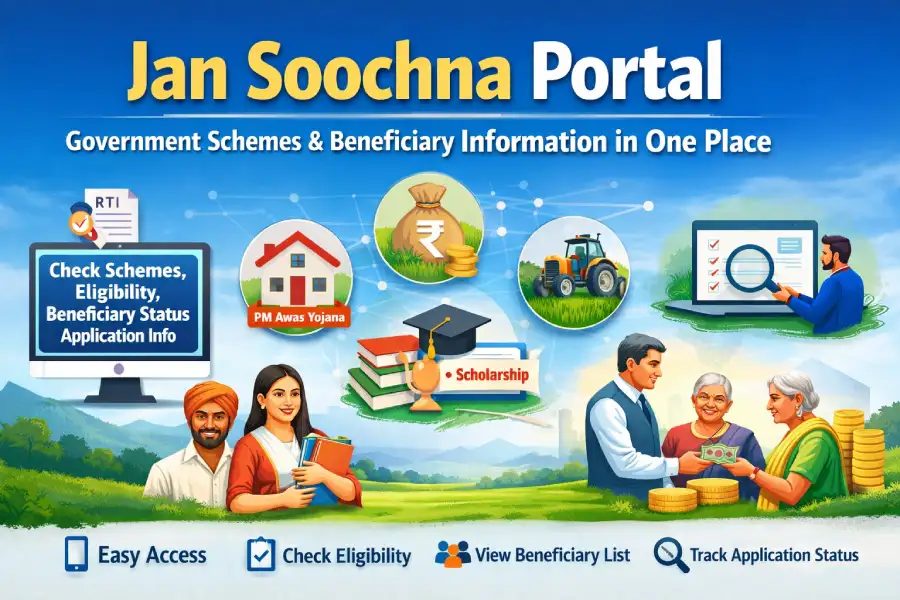
Jan Soochna Portal – Government Schemes & Beneficiary Information in One Place

jansoochana portal govt

Jan Soochna Portal is a government platform that provides citizens with easy access to information about welfare schemes. Users can check scheme details, eligibility, application status, and beneficiary lists online, promoting transparency and ensuring that government benefits reach the right people efficiently and conveniently.

What is Jan Soochna Portal?

Jan Soochna Portal is a government initiative designed Portal to provide transparent and easy access to information about public welfare schemes. Through this portal, citizens can check scheme details, eligibility, application status, and beneficiary information online without visiting government offices.

The portal aims to promote Right to Information (RTI), reduce corruption, and ensure that government benefits reach the right people on time.

What are the Key Objectives of Jan Suchna Portal?

  1. Provide one-stop access to government schemes
  2. Ensure transparency and accountability
  3. Save citizens’ time and effort
  4. Reduce middlemen and corruption
  5. Empower people with digital governance

How to Login Jan Soochna Portal

  1. Visit the Official Website
    Go to the official Jan Soochna Portal website: jansoochna.rajasthan.gov.in
  2. Locate the Login Section
    On the homepage, find the “Jan Soochna Portal Login / Sign In” option.
  3. Enter Your Details
    • Username / Mobile Number / Aadhaar Number (as registered)
    • Password
  4. Enter Captcha
    Fill in the security captcha shown on the screen.
  5. Click on Login
    Press the “Login” button to access your account.
  6. Access Services
    Once logged in, you can:
    • Check scheme eligibility
    • View beneficiary status
    • Track application status
    • Download reports or certificates

Which Kind Of Services Available on Jan Soochna Portal?

The Jan Soochna Portal offers information related to multiple departments and schemes, including:

1. Social Welfare Schemes
  • Pension schemes
  • Disability benefits
  • Widow & old age pension
2. Employment & Skill Schemes
  • Unemployment allowance
  • Skill development programs
  • Employment registration details
3. Housing Schemes
  • PM Awas Yojana (Urban & Rural)
  • Beneficiary list & payment status
4. Farmer & Agriculture Schemes
  • PM Kisan Samman Nidhi
  • Crop insurance schemes
  • Subsidy-related information
5. Education & Scholarship Schemes
  • Student scholarships
  • Fee reimbursement schemes
  • Jansoochna portal palan palanhar yojana

Note:

  • If you don’t have an account, click on “Register / Sign Up” to create one.
  • Keep your Aadhaar and mobile number handy for verification.

How to Use Jan Soochna Portal?

Using the Jan Soochna Portal is very easy:

  1. Visit the official Jan Soochna Portal website
  2. Select your scheme or department
  3. Enter required details like Aadhaar number, application number, or mobile number
  4. Click on Search / View Status
  5. Get complete beneficiary and scheme information instantly

What Is the Key Benefits of Jan Soochna Portal ?

  • Free and online access
  • No need to visit government offices
  • Real-time data and updates
  • User-friendly interface
  • Available 24×7

Who Can Use Jan Soochna Portal?

  • Farmers
  • Students
  • Job seekers
  • Senior citizens
  • Women beneficiaries
  • Any citizen seeking government scheme information

Why Jan Soochna Portal is Important?

Jan Soochna Portal strengthens digital India initiatives by making government data public and accessible. It helps citizens track benefits, verify payments, and understand their rights without depending on agents or officials.

Important Tips for Jan Soochna Portal

  1. Use Official Website Only
    Always access the portal through the official link: jansoochna.rajasthan.gov.in to avoid scams.
  2. Keep Aadhaar and Mobile Ready
    Most services require Aadhaar number and registered mobile number for verification.
  3. Check Eligibility First
    Before applying for any scheme, verify if you meet the eligibility criteria.
  4. Track Application Status Regularly
    Use the portal to monitor your application progress and payment status.
  5. Keep Login Details Secure
    Never share your password or OTP with anyone to prevent misuse.
  6. Download and Save Documents
    Always download application forms, beneficiary lists, or payment receipts for future reference.
  7. Use Correct Details
    Enter accurate personal and bank details to avoid application rejection.
  8. Contact Helpline if Needed
    If any issue arises, use the official helpline/contact information provided on the portal.

Frequently Asked Questions

Q1. What is Jan Soochna Portal?

Answer: Jan Soochna Portal is a government platform that provides citizens with information on welfare schemes, eligibility, application status, and beneficiary details online.

Q2. How can I login to Jan Soochna Portal?

Answer: Visit the official portal, click Login, enter your Aadhaar/Mobile/Username and password, solve the captcha, and click Login to access your account.

Q3. Do I need to register to use Jan Soochna Portal?

Answer: Yes, first-time users must register by providing Aadhaar details, mobile number, and basic personal information to create an account.

Q4. Can I check the beneficiary status of government schemes online?

Answer: Yes, Jan Soochna Portal allows citizens to check the status of beneficiaries, application progress, and payment details for various welfare schemes.

Q5. Is Jan Soochna Portal free to use?

Answer: Yes, the portal is completely free and accessible online 24×7 for all citizens.

PM Kusum Yojana Application Status Guide: ऑनलाइन स्टेटस चेक करने एवं आवेदन करने की सम्पूर्ण जानकारी

pm kusum yojana 2026

PM Kusum Yojana (प्रधानमंत्री किसान ऊर्जा सुरक्षा एवं उत्थान महाभियान) भारत सरकार की एक महत्वाकांक्षी योजना है, जिसके तहत किसानों को सोलर पंप, ग्रिड से जुड़े सोलर प्लांट और ऑफ-ग्रिड सोलर सिस्टम लगाने के लिए सब्सिडी दी जाती है।
इस योजना का लाभ लेने के लिए सही आवेदन प्रक्रिया जानना बहुत जरूरी है।

इस लेख की सहायता से आप PM Kusum Yojana Application Process की पूरी परिक्रिया को भली भांति समझ सकते हैं और आपको योजना से जुडी सभी जानकारी आज हम इस लेख की सहायता से सराल भाषा में आपको sarkariresultt.in.net पर प्रदान करा रहे हैं |

PM Kusum Yojana में आवेदन करने से पहले की जरूरी बातें

आवेदन शुरू करने से पहले किसान इन बातों को जरूर चेक कर लें:

  • किसान भारत का नागरिक होना चाहिए
  • स्वयं की कृषि भूमि होनी चाहिए
  • वैध आधार कार्ड और बैंक खाता होना अनिवार्य है
  • राज्य सरकार की आधिकारिक KUSUM पोर्टल पर ही आवेदन करें

नोट: आवेदन प्रक्रिया राज्य अनुसार अलग-अलग हो सकती है।

Some Important Liks Apply For PM KUSUM Yojana

APPLY NOWhttps://pmkusum.mnre.gov.in/
Check StatusClick Here
Click Here To Know About More InformationPM KUSUM YOJANA APPLY
Check Subsidy DetailsPm Kusum Subsidy Structure

What Is The Application Process of PM Kusum Yojana ?

Step 1: राज्य की आधिकारिक वेबसाइट पर जाएं

PM Kusum Yojana का कोई एक केंद्रीय पोर्टल नहीं है।
हर राज्य की अलग वेबसाइट होती है, जैसे:

  • मध्य प्रदेश
  • राजस्थान
  • उत्तर प्रदेश
  • महाराष्ट्र आदि

अपने राज्य की KUSUM Yojana Official Website पर विजिट करें।

Step 2: PM Kusum Yojana Registration करें

होमपेज पर आपको मिलेगा:
“PM Kusum Yojana Registration / Apply Online” विकल्प

यहाँ क्लिक करने के बाद:

  • किसान का नाम
  • मोबाइल नंबर
  • आधार नंबर
  • जिला / ब्लॉक चयन

भरकर OTP Verify करें।

Step 3: योजना का Component चुनें

PM Kusum Yojana के तीन मुख्य Component होते हैं:

Componentकिसके लिए
Component Aग्रिड से जुड़े सोलर पावर प्लांट
Component Bऑफ-ग्रिड सोलर पंप
Component Cग्रिड से जुड़े सोलर पंप

अपनी आवश्यकता के अनुसार सही Component चुनें।

Step 4: आवेदन फॉर्म भरें

अब आपको पूरा PM Kusum Yojana Application Form भरना होगा, जिसमें शामिल है:

  • किसान का व्यक्तिगत विवरण
  • भूमि का विवरण (खसरा / खतौनी)
  • सिंचाई स्रोत की जानकारी
  • सोलर पंप या प्लांट की क्षमता (HP / KW)

सभी जानकारी सही और प्रमाणिक भरें।

Step 5: आवश्यक दस्तावेज अपलोड करें

नीचे दिए गए दस्तावेज स्कैन करके अपलोड करें:

  • आधार कार्ड
  • जमीन के कागजात
  • बैंक पासबुक
  • पासपोर्ट साइज फोटो
  • मोबाइल नंबर लिंक्ड आधार

गलत या अधूरे दस्तावेज आवेदन रिजेक्ट करवा सकते हैं।

Step 6: आवेदन शुल्क (यदि लागू हो)

कुछ राज्यों में नाममात्र का आवेदन शुल्क लिया जाता है।
पेमेंट आप कर सकते हैं:

  • UPI
  • डेबिट कार्ड
  • नेट बैंकिंग

पेमेंट के बाद रसीद डाउनलोड जरूर करें।

Step 7: आवेदन सबमिट करें

सभी जानकारी चेक करने के बाद:
Submit Application पर क्लिक करें।

आपको एक Application Number / Reference ID मिलेगा – इसे सुरक्षित रखें।

PM Kusum Yojana Application Status कैसे चेक करें?

आवेदन के बाद किसान अपना स्टेटस ऐसे चेक कर सकते हैं:

  1. राज्य की KUSUM वेबसाइट पर जाएं
  2. “Application Status” विकल्प चुनें
  3. आवेदन संख्या / मोबाइल नंबर डालें
  4. सबमिट करें

यहाँ से आपको पता चलेगा:

  • आवेदन स्वीकृत हुआ या नहीं
  • दस्तावेज वेरिफिकेशन की स्थिति
  • सब्सिडी स्टेटस

PM Kusum Yojana Offline Application Process

कुछ राज्यों में ऑफलाइन आवेदन की सुविधा भी उपलब्ध है:

  • नजदीकी कृषि विभाग कार्यालय
  • DISCOM ऑफिस
  • CSC (Common Service Center)

वहाँ से फॉर्म भरकर दस्तावेज जमा किए जा सकते हैं।

आवेदन करते समय किसानों के लिए महत्वपूर्ण टिप्स

  • आवेदन केवल आधिकारिक पोर्टल से करें
  • एजेंट या दलाल से बचें
  • सभी दस्तावेज पहले से तैयार रखें
  • आवेदन की कॉपी और रसीद सुरक्षित रखें

FAQs About PM Kusum Yojana Application Status

Q1. PM Kusum Yojana Application Status कैसे चेक करें?

Ans: राज्य की आधिकारिक KUSUM वेबसाइट पर जाकर Application Number या मोबाइल नंबर से स्टेटस चेक किया जा सकता है।

Q2. आवेदन संख्या भूल जाएं तो स्टेटस कैसे देखें?

Ans: रजिस्टर्ड मोबाइल नंबर या आधार नंबर से लॉगिन कर स्टेटस देखा जा सकता है।

Q3. PM Kusum Yojana Application Status अपडेट होने में कितना समय लगता है?

Ans: आमतौर पर 15–30 दिनों में दस्तावेज वेरिफिकेशन के बाद स्टेटस अपडेट हो जाता है।

Q4. Application Status में “Pending” दिखा रहा है, क्या करें?

Ans: इसका मतलब है कि आपका आवेदन जांच प्रक्रिया में है, कुछ समय प्रतीक्षा करें।

Q5. PM Kusum Yojana Application Rejected क्यों होता है?

Ans: गलत जानकारी, अधूरे दस्तावेज या पात्रता पूरी न होने पर आवेदन रिजेक्ट हो सकता है।

Q6. रिजेक्ट होने पर दोबारा आवेदन कर सकते हैं?

Ans: हाँ, कारण सुधारकर अगली आवेदन प्रक्रिया में पुनः आवेदन किया जा सकता है।

Q7. PM Kusum Yojana Status चेक करने के लिए कौन-सा दस्तावेज जरूरी है?

Ans: आवेदन संख्या, आधार नंबर या रजिस्टर्ड मोबाइल नंबर पर्याप्त होता है।

Q8. PM Kusum Yojana Application Status ऑफलाइन कैसे पता करें?

Ans: नजदीकी कृषि विभाग, DISCOM कार्यालय या CSC सेंटर से जानकारी ली जा सकती है।

PM Awas Yojana 2.0 – Apply Online Check Eligibility, Benefits & List (PMAY-U)

PM Awas yojana 2.0

PM Awas Yojana 2.0 भारत सरकार की महत्वाकांक्षी योजना है, जिसका उद्देश्य गरीब और मध्य वर्ग के परिवारों को अपना खुद का घर उपलब्ध कराना है। इस योजना के तहत शहरी क्षेत्रों में रहने वाले पात्र लाभार्थियों को सस्ती दर पर घर बनाने या खरीदने में वित्तीय सहायता दी जाती है।

PM Awas Yojana 2.0 क्या है?

PM Awas Yojana 2.0 (PMAY-U) भारत सरकार की एक योजना है, जिसका उद्देश्य शहरी गरीब और निम्न-मध्यम आय वर्ग के परिवारों को अपना खुद का घर उपलब्ध कराना है। इसमें घर बनाने या खरीदने के लिए सब्सिडी और वित्तीय सहायता दी जाती है।

Complete overview of Pm awas Yojana 2.0 Urban

PM Awas Yojana 2.0 की आवेदन प्रक्रिया

PMAY 2.0 में आवेदन करने के लिए निम्नलिखित चरण अपनाए जाते हैं:

  1. आधिकारिक पोर्टल पर जाएँ:
  2. आवेदन फॉर्म भरें:
    • अपना नाम, पता, परिवार के सदस्यों की जानकारी, आधार नंबर और बैंक विवरण दर्ज करें।
  3. पात्रता की जाँच करें:
    • आय वर्ग (EWS, LIG, MIG), घर की स्थिति और शहरी क्षेत्र में निवास की पुष्टि करें।
  4. आवेदन सबमिट करें:
    • सभी जानकारी सही भरने के बाद फॉर्म सबमिट करें।
  5. ACK नंबर प्राप्त करें:
    • आवेदन सफल होने पर आपको ACK नंबर मिलेगा। इसे सुरक्षित रखें।
  6. लाभार्थी सूची में नाम देखें:
    • समय-समय पर जारी होने वाली Beneficiary List में अपना नाम चेक करें।
  7. लोन और सब्सिडी प्रक्रिया:
    • अगर आवेदन स्वीकार हो जाता है, तो बैंक से मकान निर्माण या खरीद के लिए लोन और ब्याज सब्सिडी प्राप्त करें।

PMAY-U 2.0 योजना के तहत किन लोगों को लाभ प्राप्त होगा?

PM Awas Yojana 2.0 का लाभ मुख्य रूप से निम्नलिखित श्रेणियों के लोगों को मिलेगा:

  1. अत्यंत गरीब वर्ग (EWS):
    • जिनकी वार्षिक आय ₹3 लाख तक है।
    • जिनके पास अपना पक्का घर नहीं है।
  2. निम्न आय वर्ग (LIG):
    • जिनकी वार्षिक आय ₹6 लाख तक है।
    • जो शहरी क्षेत्रों में रहते हैं और घर खरीदना या बनाना चाहते हैं।
  3. मध्यम आय वर्ग (MIG):
    • जिनकी वार्षिक आय ₹6–12 लाख के बीच है।
    • जो घर निर्माण या खरीद के लिए लोन सब्सिडी का लाभ लेना चाहते हैं।
  4. शहरी गरीब और आवास रहित परिवार:
    • जो शहरी क्षेत्र में रहते हैं और उनके पास अपना पक्का मकान नहीं है।

नोट: योजना का उद्देश्य केवल उन्हीं लोगों को लाभ देना है, जिनके पास पहले से घर नहीं है और जो आर्थिक रूप से कमजोर हैं।

PM Awas शहरी योजना में आवेदन करने के लिए आवेदक की क्या पात्रता होनी चाहिए?

PMAY-U योजना में आवेदन करने के लिए निम्नलिखित पात्रता मापदंड हैं:

  1. आय सीमा:
    • EWS (अत्यंत गरीब वर्ग) – ₹3 लाख प्रति वर्ष तक
    • LIG (निम्न आय वर्ग) – ₹6 लाख प्रति वर्ष तक
    • MIG (मध्यम आय वर्ग) – ₹12 लाख प्रति वर्ष तक
  2. आवास नहीं होना चाहिए:
    • आवेदनकर्ता के पास पहले से खुद का पक्का मकान नहीं होना चाहिए।
  3. शहरी क्षेत्र में रहना:
    • यह योजना केवल शहरी क्षेत्रों (PMAY-U) के लिए लागू है।
  4. भारतीय नागरिक होना आवश्यक है।

PM Awas Yojana 2.0 के लाभ क्या-क्या है?

  1. सबसिडी पर लोन सुविधा:
    • पात्र लाभार्थियों को मकान निर्माण या खरीद के लिए बैंक लोन पर ब्याज में छूट (सब्सिडी) दी जाती है।
  2. नया घर प्राप्त करना:
    • गरीब और निम्न आय वर्ग के परिवारों को अपने नाम पर नया घर मिलना।
  3. शहरी विकास में योगदान:
    • शहरी क्षेत्रों में अतिक्रमण मुक्त और व्यवस्थित आवास का निर्माण।

PMAY-U सूची कैसे देखें?

PMAY-U सूची में आप यह जान सकते हैं कि आपकी आवेदन स्थिति या नाम लाभार्थियों की लिस्ट में शामिल है या नहीं।

  1. आधिकारिक पोर्टल खोलें:
  2. “Beneficiary List” विकल्प चुनें:
    • होम पेज पर “Search Beneficiary” या “Beneficiary List” पर क्लिक करें।
  3. राज्य और शहर का चयन करें:
    • अपने राज्य, जिला और नगर/शहरी क्षेत्र का नाम चुनें।
  4. आवेदन की श्रेणी चुनें:
    • EWS (अत्यंत गरीब), LIG (निम्न आय वर्ग), MIG (मध्यम आय वर्ग) या अन्य।
  5. सूची देखें:
    • आपके द्वारा चुने गए क्षेत्र के सभी लाभार्थियों की लिस्ट खुल जाएगी।
    • आप अपना नाम, पिता का नाम या शहर के आधार पर खोज सकते हैं।
  6. डाउनलोड या प्रिंट करें (वैकल्पिक):
    • सूची का PDF डाउनलोड या प्रिंट करके अपने रिकॉर्ड के लिए रख सकते हैं।

PMAY 2.0 Helpline / संपर्क विवरण

संपर्क माध्यमविवरण
कस्टमर केयर नंबर1800 11 3388 / 1800 11 6161
ईमेल[email protected]
आधिकारिक पोर्टलhttps://pmaymis.gov.in
संपर्क समयसोमवार – शुक्रवार, सुबह 10 बजे – शाम 5 बजे
लाभआवेदन स्थिति, सूची जांच, पात्रता और योजना से संबंधित सभी जानकारी प्राप्त करना

Important FAQ About PMAY 2.0

Q1. PMAY 2.0 क्या है?

Ans: यह भारत सरकार की योजना है, जिसका उद्देश्य शहरी गरीब और निम्न-मध्यम आय वर्ग के परिवारों को अपना घर उपलब्ध कराना है।

Q2. PMAY 2.0 के लिए कौन पात्र है?

Ans: EWS, LIG और MIG वर्ग के शहरी क्षेत्र में रहने वाले भारतीय नागरिक, जिनके पास अपना पक्का मकान नहीं है।

Q3. आवेदन कैसे करें?

Ans: ऑनलाइन आवेदन PMAY MIS पोर्टल पर जाकर किया जा सकता है। आवेदन फॉर्म भरें, ACK नंबर प्राप्त करें और सूची में नाम चेक करें।

Q4. लाभ क्या हैं?

Ans: घर बनाने या खरीदने के लिए लोन पर ब्याज सब्सिडी, नया घर प्राप्त करना और शहरी आवास सुविधा।

AAI Junior Executive Result 2026: Merit List, Cut Off Marks & Result PDF Download

AAI Junior Executive Result 2026_ Merit List, Cut Off Marks & Result PDF Download

Airports Authority of India (AAI) द्वारा आयोजित Junior Executive Recruitment 2026 की परीक्षा में शामिल हुए लाखों अभ्यर्थियों के लिए बड़ी खबर है। AAI Junior Executive Result 2026 जल्द ही आधिकारिक वेबसाइट पर जारी किया जाएगा। उम्मीदवार अपना Result, Merit List, Cut Off Marks और चयन स्थिति (Selection Status) ऑनलाइन चेक कर सकेंगे।

इस लेख में आपको AAI JE Result 2026 से जुड़ी हर जरूरी जानकारी आसान भाषा में मिलेगी।

AAI Junior Executive Result

AAI Junior Executive Result से जुडी Latest Update क्या हैं?

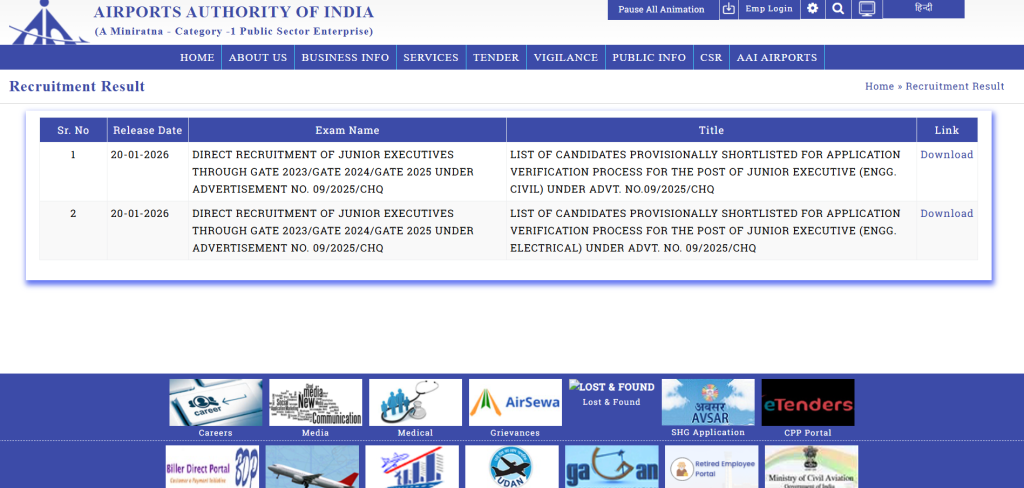
AAI द्वारा Junior Executive पदों के लिए परीक्षा सफलतापूर्वक आयोजित की जा चुकी है। अब विभाग Result, Category Wise Cut Off और Merit List PDF ने आज जारी कर दिया हैं।, उम्मीदवार Roll Number / Registration Number के माध्यम से अपना परिणाम देख सकते हैं ।

AAI Junior Executive Result का कैसे चेक करें?

उम्मीदवार नीचे दिए गए आसान स्टेप्स को फॉलो करके अपना रिजल्ट चेक कर सकते हैं:

  1. AAI की आधिकारिक वेबसाइट पर जाएँ
  2. “Careers” या “Recruitment” सेक्शन पर क्लिक करें
  3. AAI Junior Executive latest Result चेक करने के लिए “click here” लिंक पर क्लिक करे  
  4. अपना Registration Number / DOB दर्ज करें
  5. Result स्क्रीन पर दिखाई देगा
  6. Result PDF डाउनलोड करें और प्रिंट निकाल लें

AAI Junior Executive Result Related Important Links

Download ResultClick Here
Apply Online LinkClick Here
Check Official NotificationClick Here
AAI Official WebsiteClick Here

AAI Junior Executive Merit List क्या हैं?

AAI Junior Executive Merit List उन उम्मीदवारों के नामों की सूची होती है, जिन्होंने कट-ऑफ अंक प्राप्त कर लिए हैं। Merit List पूरी तरह से Written Exam के अंकों के आधार पर तैयार की जाती है।

-> Merit List में शामिल उम्मीदवारों को आगे की Document Verification / Medical Examination प्रक्रिया के लिए बुलाया जाएगा।

AAI Junior Executive Examination Related Important Dates/Application Fee Details

Important Dates

  • Online Apply Start Date : 28 August 2025
  • Online Apply Last Date : 27 September 2025
  • Last Date For Fee Payment : 27 September 2025
  • Result Date : 20 January 2026 Available now
  • Candidates are advised to confirm from the AAIofficial website.

Application Fee

  • For General/ OBC : ₹ 300/-
  • For SC / ST, PwBD : ₹ 00/-
  • Payment Mode (Online): You can make the payment using the following methods:
    • Debit Card
    • Credit Card
    • Internet Banking
    • IMPS
    • Cash Card / Mobile Wallet

AAI Junior Executive Notification Age Limits As On 27 September 2025

  • Minimum Age : N/A
  • Maximum Age : 27 Years
  • AAI provides age relaxation for the Junior Executive position as per their regulations.

AAI Junior Executive 2026  की Cut Off कितनी हैं ?

Cut Off Marks कई फैक्टर्स पर निर्भर करती है, जैसे:

  • परीक्षा का कठिनाई स्तर
  • कुल पदों की संख्या -: 976 Post
  • उम्मीदवारों की संख्या
  • Category (UR / OBC / SC / ST / EWS)

Expected Cut Off (संभावित):

  • General: 80–85 Marks
  • OBC: 75–80 Marks
  • SC: 65–70 Marks
  • ST: 60–65 Marks

AAI Junior Executive Result में क्या-क्या डिटेल्स देख सकते हैं ?

Result PDF में निम्न जानकारियाँ दी होंगी:

  • उम्मीदवार का नाम
  • Roll Number / Registration Number
  • Category
  • प्राप्त अंक
  • चयन स्थिति (Qualified / Not Qualified)

AAI Junior Executive का Selection Process किस प्रकार हैं ?

AAI Junior Executive की चयन प्रक्रिया निम्न चरणों में पूरी होती है:

  1. Written Examination
  2. Document Verification
  3. Medical Examination
  4. Final Merit List

    AAI Junior Executive Recruitment 2025 : Vacancy Details

     AAI Junior Executive Recruitment 2025 : Post Details 
    Post NameTotal Post
    Junior Executive (Architecture)11
    Junior Executive (Engineering ‐ Civil)199
    Junior Executive (Engineering ‐ Electrical)208
    Junior Executive (Electronics)527
    Junior Executive (Information Technology)31

     AAI Junior Executive Recruitment 2025 : Eligibility Criteria 

    Post NameEligibility Criteria
    Junior Executive (Architecture)Candidates who have Bachelor’s Degree in Architecture and registered with Council of Architecture from any recognized University in India will be eligible for this recruitment.
    Junior Executive (Engineering ‐ Civil)Candidates who have Bachelor’s Degree in Engineering / Technology in Civil from any recognized University in India will be eligible for this recruitment.
    Junior Executive (Engineering ‐ Electrical)Candidates who have Bachelor’s Degree in Engineering / Technology in Electrical from any recognized University in India will be eligible for this recruitment.
    Junior Executive (Electronics)Candidates who have Bachelor’s Degree in Engineering / Technology in Electronics / Telecommunications / Electrical with specialization in Electronics from any recognized University in India will be eligible for this recruitment.
    Junior Executive (Information Technology)Candidates who have Bachelor’s Degree in Engineering / Technical in Computer Science / Computer Engineering / IT / Electronics from any recognized University in India will be eligible for this recruitment. ORMasters in Computer Application (MCA).
     AAI Junior Executive Result 2026 : Important Question 
    Q1. AAI Junior Executive Result 2026 कब जारी होगा?
    Ans: Result जल्द ही AAI की आधिकारिक वेबसाइट पर जारी किया जाएगा।
    Q2. AAI Junior Executive Result कैसे चेक करें?
    Ans: Registration Number और DOB की मदद से ऑनलाइन चेक कर सकते हैं।
    Q3. AAI Junior Executive Cut Off 2026 कितनी रहेगी?
    Ans: Cut Off Category Wise जारी की जाएगी।
    Q4. Result के बाद अगला स्टेप क्या होगा?
    Ans: Document Verification और Medical Test।
    Q5: What is the official website for AAI?
    Ans: The official website for AAI is https://www.aai.aero/en/careers/recruitment

    Supreme Court Law Clerk Recruitment 2026 – Apply Online, 80+ Vacancy, Eligibility & Salary

    suprem court clerk

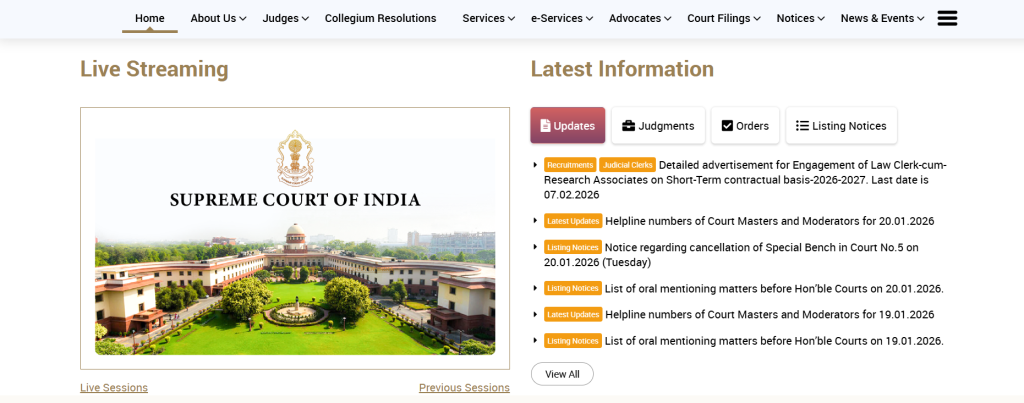
    Supreme Court Of India (SCI), New Delhi, ने Court Law Clerk Post की भर्ती के लिए आधिकारिक वेबसाइट पर एक नोटिफिकेशन जारी किया है। यह भर्ती 90 पदों पर निकली गयी हैं| Supreme Court Application Form 20 Janurary 2026 से शुरू होगा और Candidate 07 फरवरी 2026 तक अप्लाई कर सकते हैं। 07 फरवरी 2026 को कम से कम उम्र 20 साल और ज़्यादा से ज़्यादा उम्र 32 साल होनी चाहिए। कैंडिडेट सुप्रीम कोर्ट लॉ क्लर्क भर्ती 2026 की सम्पूर्ण जानकारी नीचे दी गई हैं, उन्हें ज़रूर देखें।

    Supreme Court Law Clerk Recruitment

    Supreme Court Law Clerk Recruitment Complete Overview For Applicants

    जानकारीविवरण
    भर्ती संस्थाSupreme Court of India
    पद का नामLaw Clerk
    कुल पद80+ पद
    आवेदन प्रारंभ2026 (ऑनलाइन)
    आवेदन की अंतिम तिथिआधिकारिक नोटिफिकेशन के अनुसार
    आवेदन प्रक्रियाऑनलाइन
    वेतन₹60,000 – ₹70,000 प्रति माह (अनुमानित)
    स्थाननई दिल्ली, भारत
    Supreme Court Law Clerk Recruitment

    Supreme Court Law Clerk Post की आवेदन प्रक्रिया क्या हैं ?

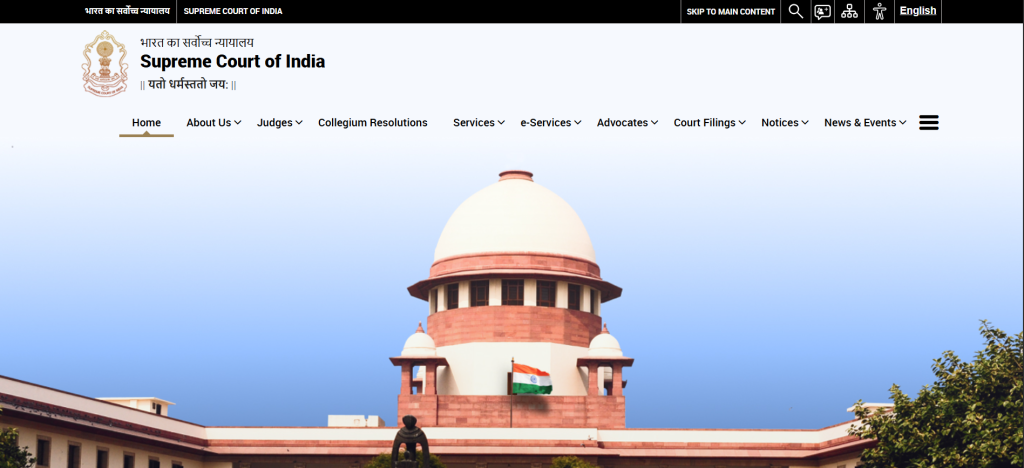
    1. आधिकारिक वेबसाइट पर जाएँ: Supreme Court of India Official Website -: https://www.sci.gov.in/
    2. Recruitment Section में Law Clerk 2026 Notification खोलें।
    3. ऑनलाइन आवेदन फॉर्म भरें और सभी आवश्यक दस्तावेज़ अपलोड करें।
    4. आवेदन शुल्क का भुगतान करें (यदि लागू हो)।
    5. सबमिट करने के बाद, आवेदन का प्रिंट आउट लें भविष्य के लिए।
    6. Note – छात्रो से ये अनुरोध किया जाता है की वो अपना फॉर्म भरने से पहले Official Notification को ध्यान से जरूर पढे उसके बाद ही अपना फॉर्म भरे । (Last Date, Age Limit, & Education Qualification)

    SOME USEFUL IMPORTANT LINKS FOR APPLY FORM

    Apply Online LinkClick Here
    Link Activate Soon
    Check Official NotificationClick Here
    Supreme Court Official WebsiteClick Here

    Supreme Court Law Clerk की चयन प्रक्रिया क्या हैं ?

    Supreme Court Law Clerk Recruitment 2026 आमतौर पर निम्न चरणों में होती है:

    1. शॉर्टलिस्टिंग ऑफ़ एप्लीकेशन:
      • शैक्षणिक योग्यता और अन्य योग्यताओं के आधार पर।
    2. Written Test / Research Task:
      • उम्मीदवारों को कानूनी शोध और लेखन में परखा जाता है।
    3. Personal Interview:
      • अंतिम चयन के लिए उम्मीदवारों का इंटरव्यू लिया जाता है।

    चयन प्रक्रिया पूरी तरह से उम्मीदवार की योग्यता, क्षमता और कानूनी ज्ञान पर आधारित होती है।

    Supreme Court Law Clerk Recruitment

    Supreme Court Law Clerk का वेतन क्या हैं और उन्हें सरकार द्वारा क्या लाभ प्रदान किये जाते हैं ?

    • मासिक वेतन: लगभग ₹60,000 – ₹70,000
    • अन्य भत्ते: यात्रा भत्ता, हॉउस रेंट अलाउंस, मेडिकल सुविधा आदि।
    • Supreme Court में काम करने का अनुभव करियर में बहुत मददगार होता है।

    आवेदन से संबंधित जरूरी दस्तावेज़ कोनसे हैं ?

    • शैक्षणिक प्रमाण पत्र (LLB, LLM, Graduation)
    • जन्म प्रमाण पत्र / 10वीं अंक पत्र
    • पहचान पत्र (Aadhaar / PAN / Voter ID)
    • पासपोर्ट साइज फोटो और हस्ताक्षर
    • अनुसूचित जाति/अनुसूचित जनजाति/अन्य आरक्षित वर्ग प्रमाणपत्र (यदि लागू हो)
    Supreme Court Law Clerk Latest Recruitment Related Vacancy Details
    Post NameNo. Of Post
    Law Clerk cum Research Associate90 Post
    Supreme Court Law Clerk Recruitment 2026 : Mode Of Selection 
    Part-I Written Exam (Objective Type)Part-II Written Exam (Subjective Type)Personal InterviewDocument VerificationMedical Examination
    Follow some Social Groups for Regurlar latest govt job updates
    Join Our WhatsApp ChannelFollow Now
    Join Our Telegram Channel
    Join Facebook Page of sarkari result
    Follow Now
    Follow Now
    महत्वपूर्ण निर्देश
    • आवेदन करने से पहले आधिकारिक नोटिफिकेशन जरूर पढ़ें।
    • गलत जानकारी देने पर आवेदन रद्द किया जा सकता है।
    • अंतिम तिथि के बाद आवेदन स्वीकार नहीं किए जाएंगे।
    Q1. Supreme Court Law Clerk के लिए आवेदन कैसे करें?
    Answer: उम्मीदवार Supreme Court की वेबसाइट पर जाकर ऑनलाइन आवेदन कर सकते हैं।
    Q2. आवेदन शुल्क कितना है?
    Answer: सामान्य और OBC वर्ग के लिए शुल्क लागू हो सकता है; SC/ST और PwD को छूट दी जा सकती है।
    Q3. क्या उम्मीदवारों को Delhi में काम करना होगा?
    Answer: हाँ, चयनित उम्मीदवारों को Supreme Court, नई दिल्ली में नियुक्त किया जाएगा।
    Q4. क्या अनुभव जरूरी है?
    Answer: अनुभव होना आवश्यक नहीं है, लेकिन legal research और writing skills फायदेमंद होते हैं।
    Q5. अंतिम तिथि कब है?
    Answer: अंतिम तिथि के लिए आधिकारिक नोटिफिकेशन देखें।

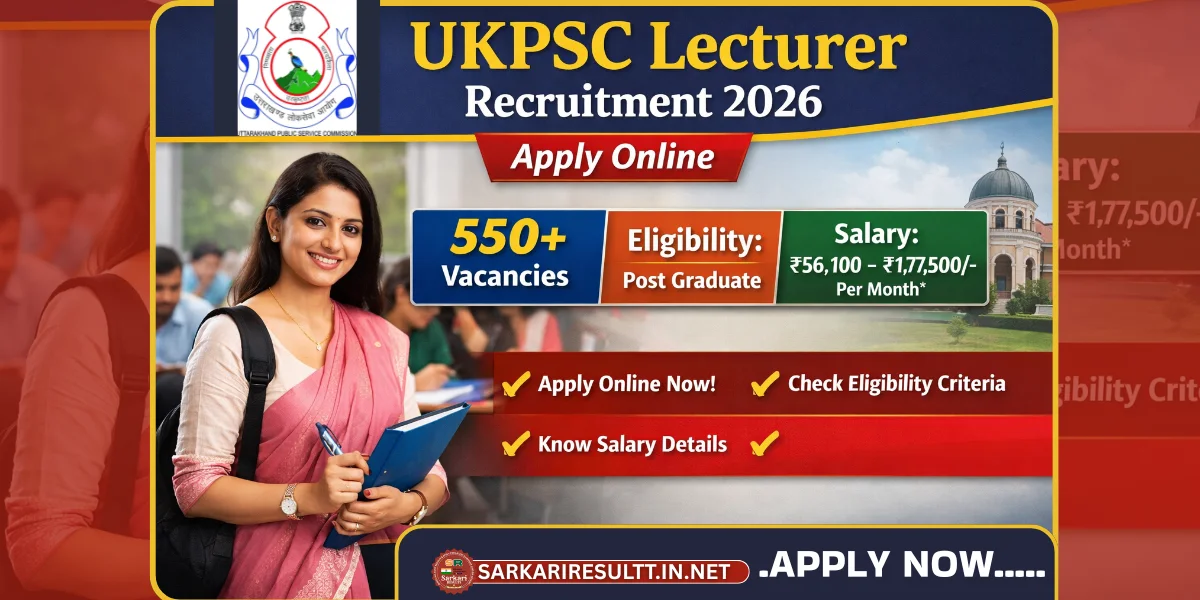
    UKPSC Lecturer Recruitment 2026 – Apply Online, 550+ Vacancy, Eligibility & Salary

    UKPSC Lecturer Recruitment

    UKPSC Lecturer Recruitment 2026 भर्ती का इंतजार कर रहे उम्मीदवारों के लिए बड़ी खुशखबरी है। उत्तराखंड लोक सेवा आयोग (UKPSC) द्वारा Lecturer (प्रवक्ता) पदों पर 550+ वैकेंसी के लिए आधिकारिक अधिसूचना जारी की गई है। इच्छुक एवं योग्य अभ्यर्थी UKPSC Lecturer Online Form 2026 भरकर इस भर्ती में आवेदन कर सकते हैं।

    इस लेख के माध्यम से हम आपको UKPSC Lecturer की भर्ती से जुड़ी सभी महत्वपूर्ण जानकारियाँ जैसे – Online Apply Process, पात्रता, आयु सीमा, वेतन, चयन प्रक्रिया, Syllabus और Important Dates के बारे विस्तार पूर्वक समझाने जा रहे हैं इस लेख की सहायता से आप अपना आवेदन खुद भी कर सकते हैं |

    UKPSC Lecturer Recruitment Complete Overview

    UKPSC Lecturer कौन होते हैं?

    UKPSC Lecturer वे शिक्षक होते हैं जिनकी नियुक्ति उत्तराखंड लोक सेवा आयोग (UKPSC) द्वारा राज्य के सरकारी कॉलेजों और उच्च शिक्षण संस्थानों में की जाती है। इनका मुख्य कार्य अपने संबंधित विषय में विद्यार्थियों को पढ़ाना, पाठ्यक्रम के अनुसार शिक्षण कार्य करना, परीक्षा मूल्यांकन करना और शैक्षणिक गतिविधियों में भाग लेना होता है। UKPSC Lecturer की भर्ती लिखित परीक्षा और साक्षात्कार के माध्यम से होती है तथा यह एक स्थायी सरकारी पद होता है जिसमें अच्छा वेतन, सम्मान और अन्य सरकारी सुविधाएँ मिलती हैं।

    UKPSC Lecturer के मुख्य कार्य क्या है?

    • कॉलेज/सरकारी महाविद्यालय में अपने विषय की कक्षाएँ लेना
    • छात्रों को पढ़ाना, समझाना और मार्गदर्शन देना
    • सिलेबस के अनुसार पाठ्यक्रम तैयार करना
    • आंतरिक परीक्षा, टेस्ट व मूल्यांकन करना
    • उत्तर पुस्तिकाओं की जाँच व अंक देना
    • शैक्षणिक गतिविधियों (सेमिनार, वर्कशॉप) में भाग लेना
    • छात्रों की काउंसलिंग व अकादमिक सहायता करना
    • रिसर्च व शैक्षणिक विकास में योगदान देना
    • कॉलेज प्रशासन द्वारा दिए गए शैक्षणिक दायित्व निभाना

    UKPSC क्या है?

    UKPSC (Uttarakhand Public Service Commission) उत्तराखंड राज्य की एक संवैधानिक संस्था है। इसका मुख्य कार्य राज्य सरकार के विभिन्न विभागों में अधिकारी और कर्मचारी की भर्ती करना होता है। UKPSC की स्थापना उत्तराखंड राज्य में सरकारी सेवाओं को पारदर्शी और निष्पक्ष तरीके से भरने के लिए की गई है।

    UKPSC का काम क्या है?

    UKPSC के प्रमुख कार्य निम्नलिखित हैं:

    • राज्य सरकार के Group A और Group B पदों पर भर्ती करना
    • विभिन्न सरकारी पदों के लिए लिखित परीक्षा और इंटरव्यू आयोजित करना
    • भर्ती से जुड़े नियम, सिलेबस और परीक्षा पैटर्न तय करना
    • भर्ती परिणाम (Result), मेरिट लिस्ट और कटऑफ जारी करना
    • राज्य सरकार को सेवा नियमों और पदोन्नति से संबंधित सलाह देना
    • भर्ती प्रक्रिया को पारदर्शी और निष्पक्ष बनाना

    SOME USEFUL IMPORTANT LINKS Related Application UKPSC Lecturer

    UKPSC Lecturer भर्ती से संबंधित महत्वपूर्ण तिथियाँ

    • ऑनलाइन आवेदन शुरू : 31 दिसंबर 2025
    • ऑनलाइन आवेदन की अंतिम तिथि : 20 जनवरी 2026
    • शुल्क भुगतान की अंतिम तिथि : 20 जनवरी 2026
    • आवेदन सुधार (Correction) तिथि : 28 जनवरी से 06 फरवरी 2026
    • परीक्षा तिथि : जल्द घोषित की जाएगी
    • एडमिट कार्ड : परीक्षा से पहले
    • रिजल्ट तिथि : जल्द अपडेट किया जाएगा

    UKPSC Lecturer की Application Fee कितनी हैं ?

    • For General / OBC / EWS : ₹ 166.36/-
    • For SC / ST : ₹ 76.36/-
    • For PH Candidates : ₹ 16.36/-
    • Payment Mode (Online): You can make the payment using the following methods:
      • Debit Card
      • Credit Card
      • Internet Banking
      • IMPS
      • Cash Card / Mobile Wallet

    UKPSC Lecturer भर्ती पर आवेदन करने के लिए Eligibility Criteria क्या हैं ?

    शैक्षणिक योग्यता
    • संबंधित विषय में Master’s Degree (Post Graduation) न्यूनतम 50% अंकों के साथ
    • B.Ed / LT Diploma (यदि लागू हो)
    • UGC / राज्य सरकार के नियमों के अनुसार पात्रता
    आयु सीमा (01/07/2026 के अनुसार)
    • न्यूनतम Age: 21 वर्ष
    • अधिकतम आयु: 42 वर्ष
    • आरक्षित वर्ग को नियमानुसार आयु में छूट मिलेगी
    • Total Post-: 808 Posts

    Vacancy Details of UKPSC Lecturer Recruitment

    Post NameNo. Of Post
    UKPSC Lecturer General725 Post
    UKPSC Lecturer Female83 Post
    Post NameEligibility Criteria
    UKPSC LecturerCandidates must have a Post Graduation (PG) degree in the relevant field.Check Subject Wise Full Vacancy Details….Click Here

    UKPSC Lecturer फॉर्म के लिए ऑनलाइन आवेदन कैसे कर सकते हैं ?

    UKPSC Lecturer Recruitment को निचे दी गयी सरल परिक्रिया के माध्यम से आवेदन कर सकते हैं

    • जो कैंडिडेट UKPSC पोस्ट के लिए अप्लाई करना चाहते हैं, वे 20 जनवरी 2026 से पहले अपना एप्लीकेशन ऑनलाइन जमा कर सकते हैं।
    • सीधे अप्लाई करने के लिए नीचे दिए गए ज़रूरी लिंक सेक्शन में दिए गए ‘Click Here’ Link का इस्तेमाल करें।
    • या फिर, एप्लीकेशन प्रोसेस को ऑनलाइन पूरा करने के लिए UKPSC की ऑफिशियल वेबसाइट पर जाएं।
    • पक्का करें कि आप 20 जनवरी 2026 की डेडलाइन से पहले एप्लीकेशन पूरा कर लें।
    • Note – छात्रो से ये अनुरोध किया जाता है की वो अपना फॉर्म भरने से पहले Official Notification को ध्यान से जरूर पढे उसके बाद ही अपना फॉर्म भरे । (Last Date, Age Limit, & Education Qualification)
     UKPSC Lecturer Recruitment 2026 : Mode Of Selection 
    Written Exam
    Document Verification
    Medical Examination
    Join Our WhatsApp ChannelFollow Now
    Join Our Telegram ChannelFollow Now

     Important Question  Related UKPSC Lecturer Recruitment 2026

    Question: When will the online application for UKPSC Lecturer Recruitment 2026 start?
    Answer: The online application for this recruitment has started on 31 December 2025.
    Question: What is the last date to apply for UKPSC Lecturer Recruitment 2026?
    Answer: The last date to submit the online application is 20 January 2026.
    Question: What is the age limit for UKPSC Lecturer Recruitment 2026?
    Answer: The Minimum age required is 21 Years & The Maximum Age Is 42 Years as on 01 July 2025.
    Question: What is the eligibility for UKPSC Lecturer Recruitment 2026?
    Answer: Candidates must have a Post Graduation (PG) degree in the relevant field.
    Question: What is the official website for UKPSC?
    Answer: The official website for UKPSC is https://psc.uk.gov.in/

    RSSB 4th Class (Group D) Result 2026 Check Merit List, Cut Off & Download PDF Online

    rsssb group d result

    Railway Recruitment & Selection Board (RSSB) has officially released the RSSB 4th Class (Group D) Result 2026. Candidates who appeared for the exam can now check their merit list, cut-off marks, and download the result PDF online. This article provides complete details to help candidates easily access their results and understand the selection process.

    RSSB 4th Class (Group D) Result 2026 – Overview

    DetailsInformation
    Exam NameRSSB 4th Class (Group D) Exam 2026
    OrganizationRailway Recruitment & Selection Board (RSSB)
    Result StatusReleased
    Result TypeMerit List / PDF
    Official Websiterssb.gov.in

    How to Check RSSB Group D Result Online?

    Follow these simple steps to check your Group D result 2026:

    1. Visit the official RSSB website: rssb.gov.in.
    2. Look for the link “RSSB 4th Class (Group D) Result 2026” on the homepage.
    3. Click the link and a PDF file containing the merit list will open.
    4. Press Ctrl + F and enter your roll number or name to find your result.
    5. Download and save the PDF for future reference.

    RSSB 4th Class (Group D) Cut Off 2026

    The cut-off marks are the minimum qualifying marks required to be selected for the next stage. The cut-off varies based on:

    • Category (General, OBC, SC, ST)
    • Number of candidates
    • Difficulty level of the exam

    SOME USEFUL IMPORTANT LINKS

    RSSB 4th Class (Group D) Result 2026 – Out

    Important Dates
    • Notification Date : 12 December 2024
    • Online Apply Start Date : 21 March 2025
    • Online Apply Last Date : 19 April 2025
    • Last Date For Fee Payment : 19 April 2025
    • Exam Date : 19, 20, 21 September 2025
    • Admit Card : 12 September 2025
    • Question Paper : 21 September 2025 
    • Answer Key : 17 October 2025
    • Result Date : 16 January 2026 Available Now
    • Candidates are advised to confirm from the RSMSSBofficial website.

    What is the Application Fee of RSSB 4th Class (Group D) Form ?

    • For General, OBC, EWS (Creamy Layer) : ₹ 600/-
    • For SC / ST, OBC, EWS (Non-Creamy Layer) : ₹ 400/-
    • For Divyang (Handicap) : ₹ 400/-
    • Payment Mode (Online): You can make the payment using the following methods:
      • Debit Card
      • Credit Card
      • Internet Banking
      • IMPS
      • Cash Card / Mobile Wallet

    What is the Age limit of RSSB 4th Class (Group D) Form ?

    • Minimum Age : 18 Years 
    • Maximum Age : 40 Years 
    • RSMSSB provides age relaxation for the Group D position as per their regulations.

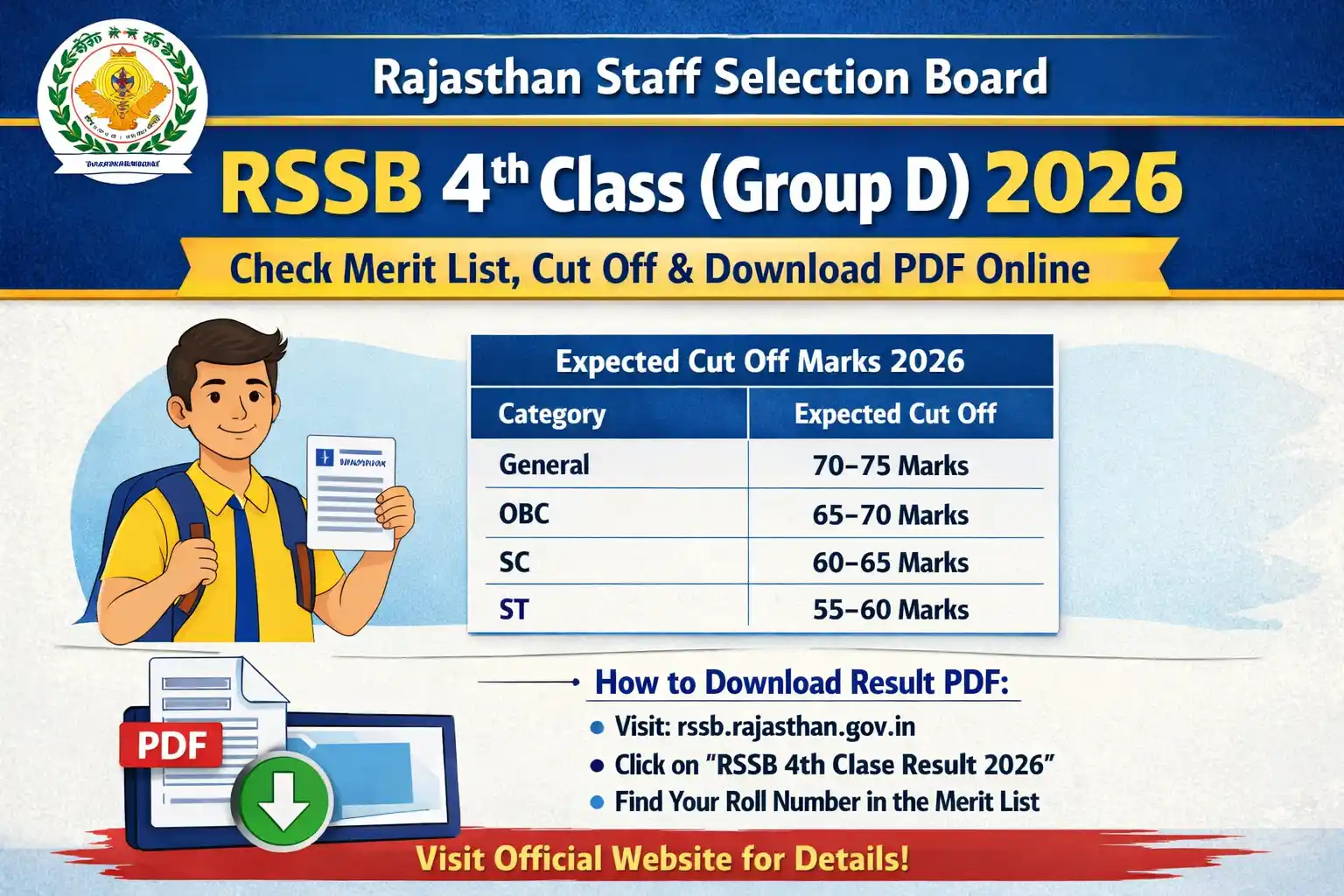
    Expected Cut Off :

    CategoryExpected Cut Off
    General70–75 marks
    OBC65–70 marks
    SC60–65 marks
    ST55–60 marks

    Note: Official cut-off will be released along with the merit list.

    RSMSSB Group D Recruitment : Vacancy Details

    53,749 Post are now vaccant

    RSMSSB Group D Examination 2025 : Eligibility Criteria
    Candidates should have passed the 10th grade or its equivalent from a recognized board.
     RSMSSB Group D Online Form 2025 : Exam Syllabus 
    Subject NameTopic Details
    Rajasthan GKHistory and Culture of RajasthanRajasthan Geography and ClimateMajor FestivalsEconomy and DevelopmentFamous Personalities of Rajasthan
    ReasoningLogical ReasoningPuzzle SolvingCoding-DecodingAnalogySeries Completion
    MathematicsArithmetic (Percentages, Ratios, Profit and Loss)AlgebraGeometryNumber SystemsData InterpretationTime and Work
    General ScienceBasic Science ConceptsEnvironmental StudiesScientific Inventions and DiscoveriesHuman Body and HealthPhysics, Chemistry, and Biology Basics
    General KnowledgeIndian HistoryGeography of India and RajasthanIndian PolityEconomyCurrent AffairsImportant Days and Events

     RSSB 4th Class (Group D) Result 2026 : Important Question 

    Question: When will the RSSB 4th Class (Group D) Result 2026 be released?
    Answer: The Rajasthan Staff Selection Board (RSSB) has released the Group D Result 2026 on its official website.
    Question: How can I download the RSSB 4th Class Result 2026?
    Answer: Candidates can download it from the official RSSB website by visiting the Answer Key section and selecting the respective exam link.
    Question: Can I raise objections against the RSSB Group D Result 2026?
    Answer: Yes, candidates can submit objections online within the given time period by paying the prescribed fee per question.
    Question: What information is mentioned in the RSSB Group D Result?
    Answer: The answer key includes question numbers, correct options, and response details for all sets.
    Question: What is the official website for RSMSSB?
    Answer: The official website for RSMSSB is https://rsmssb.rajasthan.gov.in/